Published
- 2 min read
Visualize Your Data: Introducing json2map
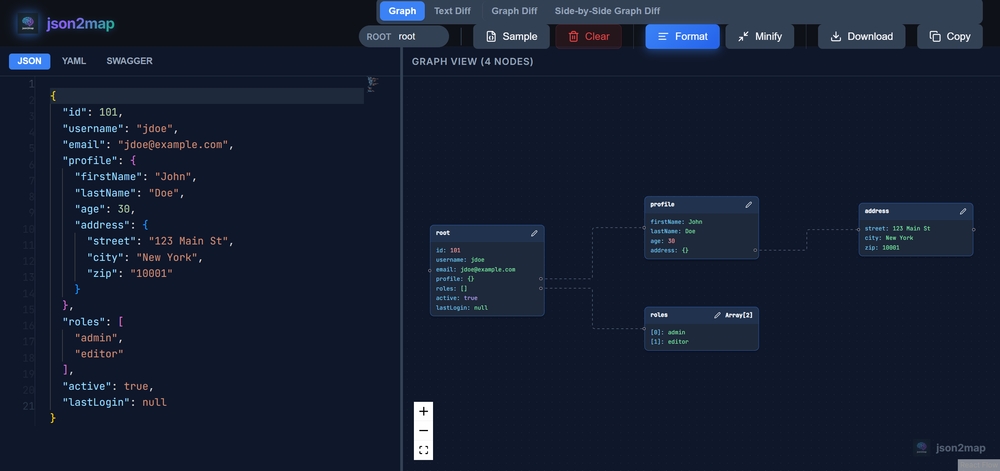
Visualize Your Data: Introducing json2map
JSON is the language of the web, but reading raw JSON files can be a nightmare. Enter json2map; a tool designed to turn your data into beautiful, interactive mind maps.
As developers, we deal with JSON every day. Whether it’s API responses, configuration files, or data dumps, JSON is everywhere. But let’s be honest: scrolling through thousands of lines of nested brackets and braces is not the most efficient way to understand the structure of your data.
That’s why I built json2map.com.
What’s New?
We’ve listened to your feedback and just released a massive update packed with requested features to make your workflow even smoother.
Side-by-Side Graph Diff
The most requested feature is finally here! You can now compare two JSON objects side-by-side visually to spot differences instantly.
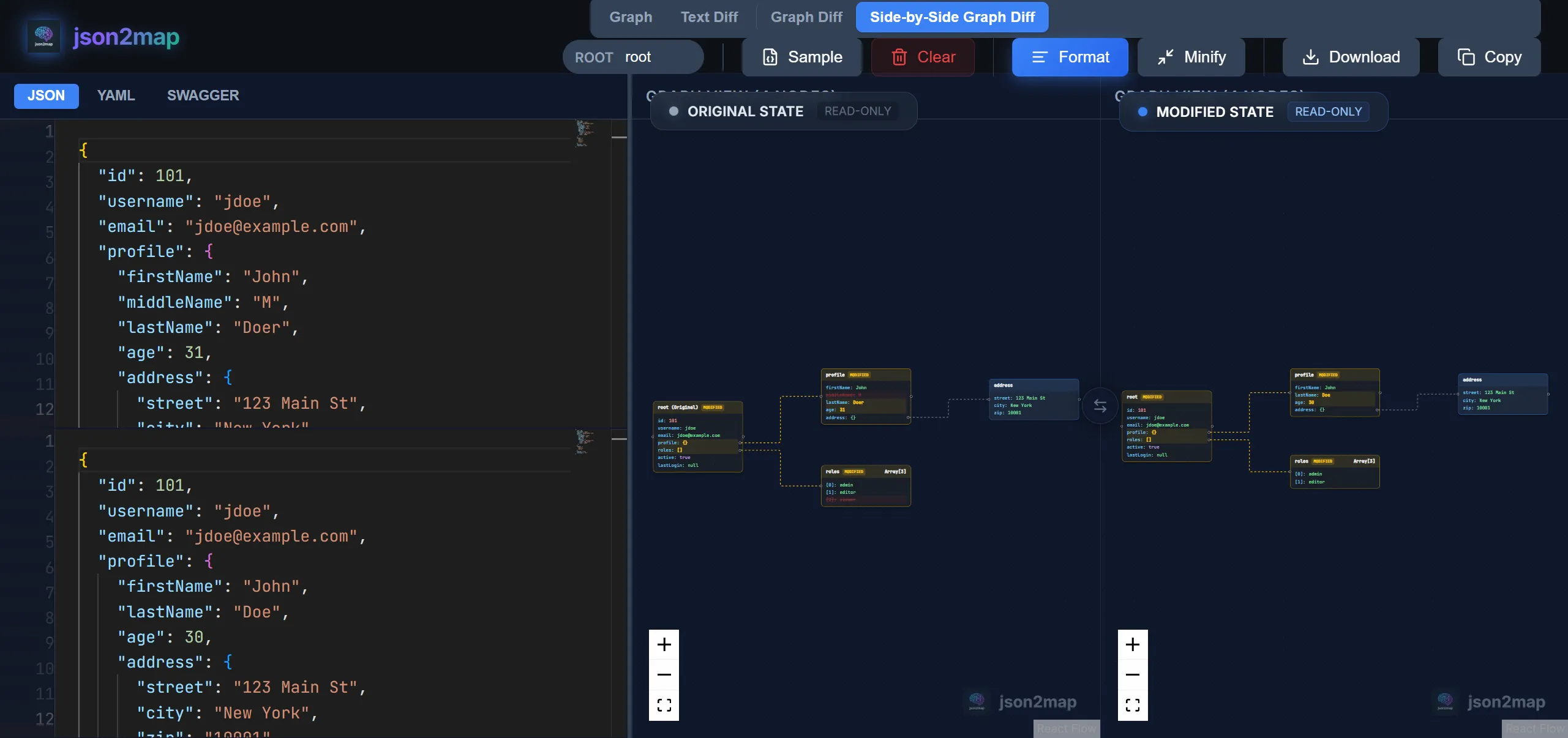
This is a game-changer for:
- Debugging API changes (v1 vs v2).
- Spotting missing fields in configuration files.
- Visualizing state changes in your application.
VS Code Style Editor
We’ve replaced the simple text area with a full-blown Monaco Editor (the same editor that powers VS Code).
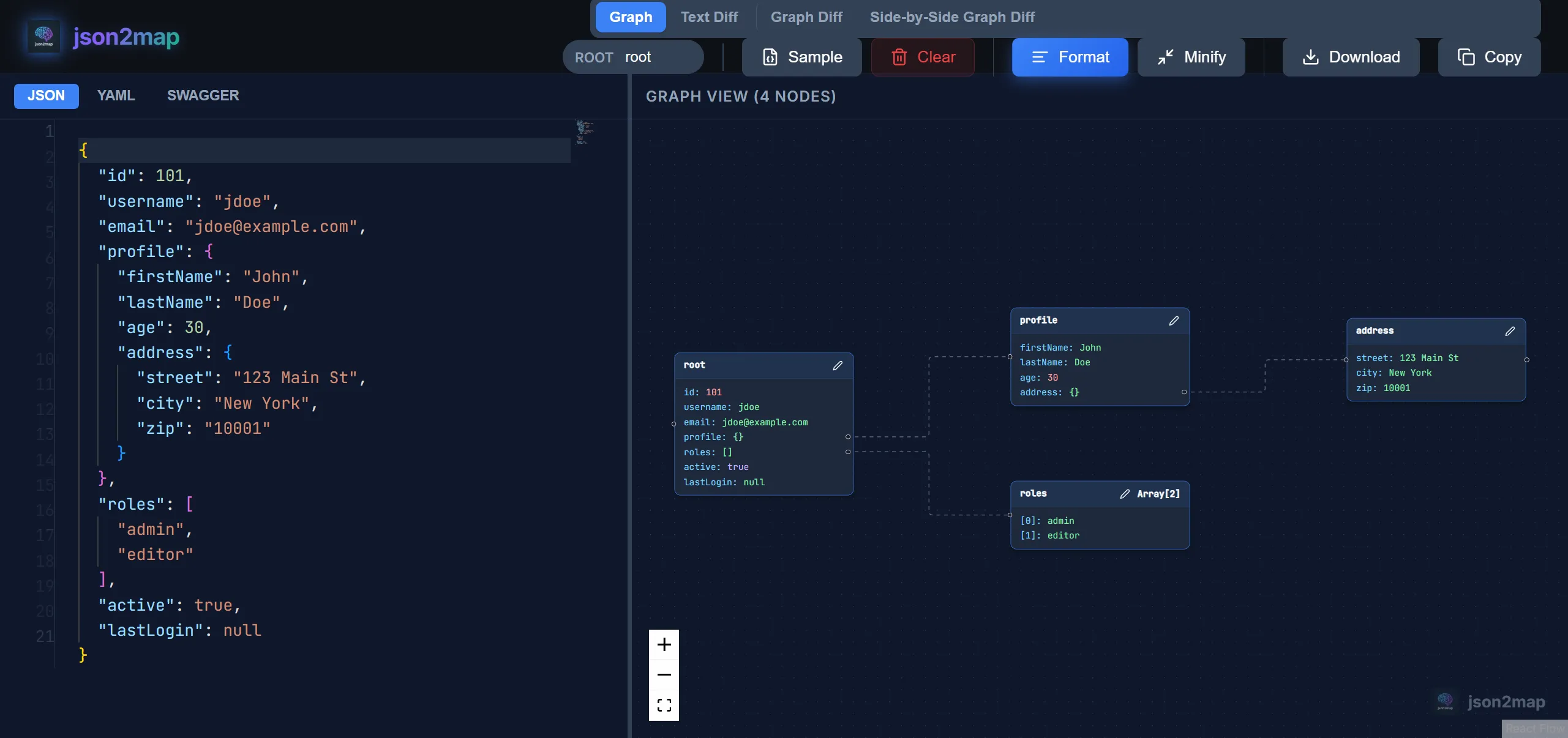
Enjoy features you love:
- Syntax highlighting
- Code folding
- Auto-formatting
- Validation
- Minification
High Performance for Big JSONs
We’ve completely reworked the graph viewer algorithm. It now renders large JSON objects with ease, ensuring smooth panning and zooming even with thousands of nodes.
The Solution: Mind Maps
json2map takes your JSON data and instantly converts it into an interactive mind map. This visualization allows you to see the hierarchy and relationships of your data at a glance.
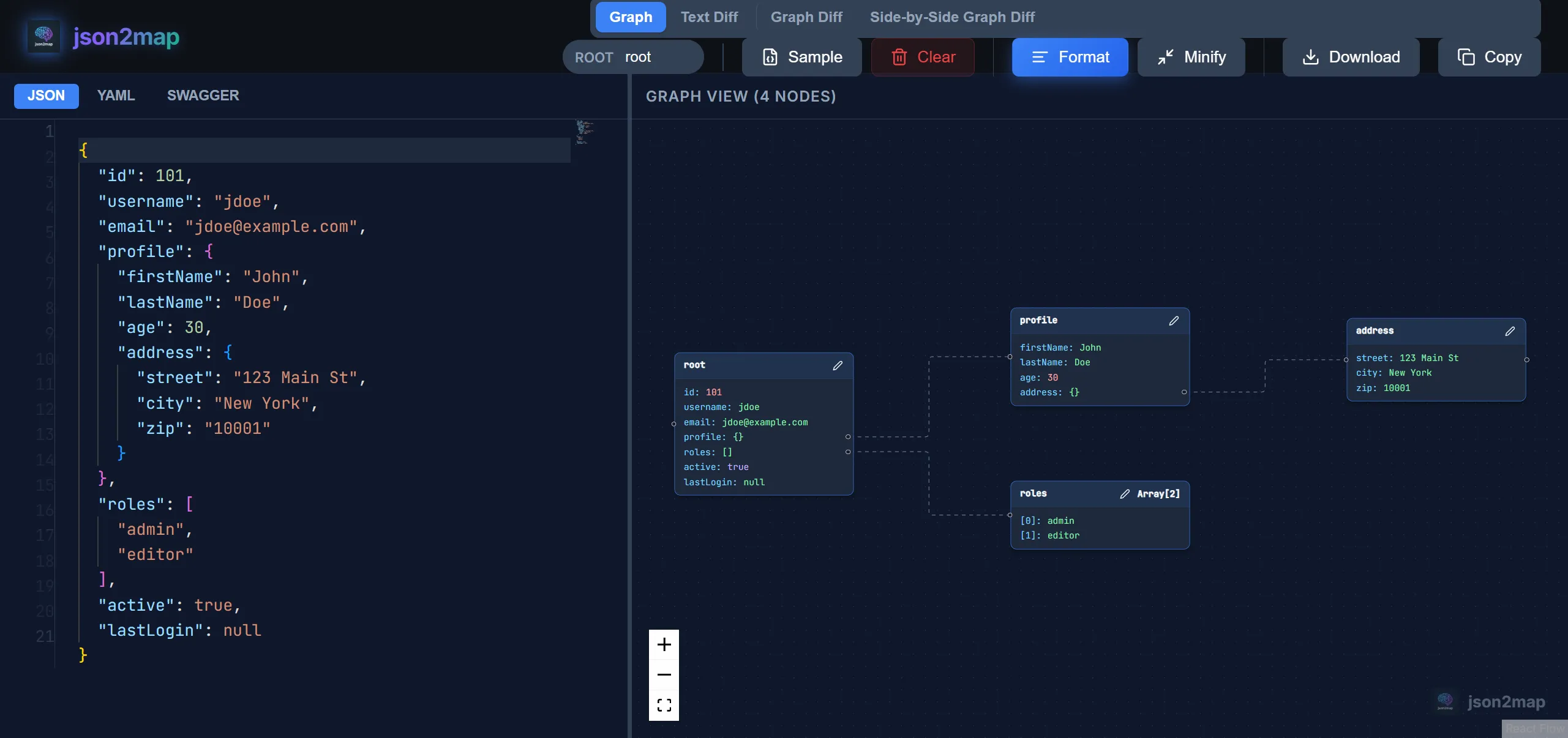
Key Features
- Instant Visualization: Just paste your JSON, and the map is generated immediately.
- Interactive Graph: Zoom, pan, and drag nodes to explore your data structure.
- Dual Views: Switch between the classic Tree View and the spatial Graph View.
- Privacy Focused: Your data is processed locally in your browser. It’s never sent to a server.
How It Works
Using json2map is incredibly simple:
- Paste your JSON: Copy your JSON data and paste it into the editor on the left.
- Explore: The tool automatically parses your JSON and renders it.
- Switch Views: Click “Graph View” or “Side-by-Side Graph Diff” to see the mind map visualization.
Why Use json2map?
- Debugging: Quickly spot missing fields or incorrect data types.
- Documentation: Generate screenshots of your data structure for documentation.
- Learning: Help new team members understand complex data schemas faster.
Try It Out
Ready to see your data in a new light? Head over to json2map.com and give it a try. It’s free, fast, and runs entirely in your browser.
Happy coding!